Skywork 3.2 Major Upgrade: Skywork Tags Goes Live, Giving Agents a Badge and an Invite to Your Work Chat
The Skywork 3.2 upgrade introduces Skywork Tags, bringing AI agents directly into team work chats without context migration, enabling shared collaboration and continuous learning.
Last week, Anthropic issued Claude a company badge. Claude Tag lets Claude live in Slack channels as a team member. Karpathy called this the third paradigm shift in how we interact with LLMs—first came the web, then desktop apps, and now AI as a persistent entity within an organization, equipped with the tools and context of an entire team, working alongside people. And "context" is the next battleground.
With this latest update, we're introducing Skywork Tags, which plugs directly into the messaging tools you already use for daily collaboration. Skywork Tags lets you and your team interact with Skywork across Slack, Feishu/Lark, DingTalk, Discord, and Telegram—wherever your team talks about work, Skywork shows up for work.
Every agent is asking you to move—Skywork comes to you
Over the past year, nearly every agent product has been doing the same thing: getting you to move your context into a new workspace. Export your team's chat history, download project documents, organize past decisions, upload it all into a brand-new agent environment, and then hope for good results.
That sounds reasonable, but in practice it's full of friction. Outside of code repositories or a well-organized folder, most of a team's working context is scattered across group chats, documents, approval flows, and shared spreadsheets. Trying to move all of that into a new platform is a project on the scale of swapping out your company's entire office system.
Skywork Tags does the opposite: instead of moving your context, it moves the agent into your team's working environment. Pull the Skywork bot into the work group you're already using, tag it with @, and it's in the conversation. It gets the context, picks up the thread, with no need to switch windows, log in again, or export anything. You work exactly the way you always have—there's just one more colleague in the group, available at all times.
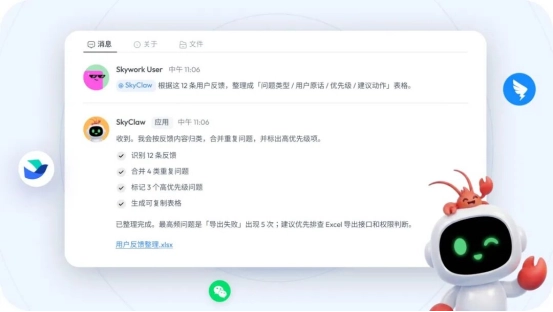
From one assistant per person to one new teammate
Skywork Tags has one fundamental difference from most AI assistants: it's shared. There's only one Skywork in a given channel, for everyone. It's not a private assistant for each person, each off doing its own thing—it's one member the whole team uses together.
That creates three changes.
First, transparency. What it's working on and how far it's gotten is visible to everyone in the channel. There's no black box where critical information is locked away in a private chat between one person and the AI.
Second, you can hand things off. You drop a task on it and go handle your own work—it progresses asynchronously, and you don't have to stay glued to your screen. By the time you look back, the results are usually already there. And when you're away, a teammate can pick up right where you left off and keep pushing the task forward. The whole dynamic—delegating, stepping back, and passing the baton—works because everyone is facing the same Skywork, with the same progress.
Third, it gets better the more you use it. Because Skywork is always "present," it keeps following the channel's discussions over time and steadily accumulates work-related context. You don't have to explain the background from scratch every time. Every conversation you and your team invest in builds toward better output the next time around.
This no longer feels like one-on-one chatting in a dialog box. It feels more like getting the work done alongside a colleague.
We put it to the test ourselves for months first
This isn't a concept—it's something our team has personally validated. Over the past few months, we ran a controlled experiment internally. We built two kinds of Skywork Bots—one for individual use only, fine-tuned by hand; the other dropped into a group of a hundred people, for everyone to use together.
At first, the finely tuned personal version was clearly smoother. It got things right no matter what we asked, and its style matched individual habits. The shared team version seemed clunky by comparison and often needed extra clarification.
But things quickly started to flip. The hundred-person group generated dozens of conversations a day—questions from every angle, needs from every role—feeding one single agent continuously. It saw how product managers describe requirements, how engineers break down problems, and how operations define metrics. The thickness of that context is something no individual tuning could ever provide.
After two or three weeks, the shared version started pulling ahead. Today, the whole team has completely set aside that "personal customized version" and only uses the shared one.
An agent raised collectively by a team grows far faster than anything an individual can tune. The more people use it, the longer they use it, the better it gets. Sharing isn't a compromise—it's the shortest path to helping an agent break past individual blind spots and get stronger quickly.
Less moving things around, more getting things done
We're not asking you to change how you work for the agent. Skywork Tags works by bringing the agent into your way of working—becoming part of the discussion, part of the collaboration, a role you can trust with anything.
Slack, Feishu, DingTalk, Discord, Telegram. Wherever your team is, that's where Skywork goes.
Invite Skywork into your work group and let it start building up your team's context. The longer you use it, the more it feels like a genuine colleague—not because it's mimicking a person, but because it's genuinely there in your workspace, participating day after day.
Skywork Tags is now live.
Get started
China: https://www.tiangong.cn
Global: https://skywork.ai